TL;DR

Get cleaning gear delivered free with Prime
- Fast, free delivery on millions of items
- Prime Video, Amazon Music and more included
- Member-only deals all year
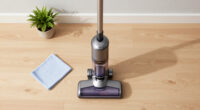
If your Shark steam mop isn’t steaming, it’s usually due to water level issues, blockages, or mineral buildup. Regular maintenance, cleaning, and checking electrical parts can restore its function. This guide walks you through clear, simple fixes.
Nothing’s more frustrating than a steam mop that refuses to produce steam when you need it most. You’re eager to clean your floors, but the device stays cold and silent. The good news? Most issues are simple to fix with a little know-how and basic maintenance.
This guide walks you through common causes of a non-steaming Shark steam mop, practical troubleshooting steps, and tips to keep it running smoothly. You don’t need to be an expert—just patient and cautious. Let’s get that steam flowing again, so your floors shine without fuss.
Check water levels and fill with distilled water regularly to prevent mineral buildup.
Clean nozzles and internal channels with vinegar-based solutions every 3-6 months.
Inspect electrical cords, filters, and tanks for cracks or clogs; replace as needed.
Unplug before any internal inspection to avoid shocks or damage.
Most steaming issues are fixable with simple cleaning or maintenance—don’t rush to replace parts until necessary.
Why Your Shark Steam Mop Isn’t Producing Steam — And How to Fix It
The most common reason your Shark steam mop isn’t steaming is a simple water supply issue or a clog somewhere in the system. Check the water tank first—if it’s empty or improperly filled, no steam will come out. Next, inspect the steam nozzle for blockages caused by mineral deposits or debris. If these are clear, the problem might be with the heating element or internal sensors.
Understanding why these issues matter is crucial because each problem affects your device’s ability to generate consistent steam, which is essential for effective cleaning. Mineral buildup, for example, not only blocks steam flow but can also insulate internal components, causing them to overheat or fail prematurely. This can lead to costly repairs or replacement. Similarly, a malfunctioning heating element or sensor can prevent the mop from reaching the necessary temperature, making it ineffective. Regularly addressing these issues through maintenance ensures your device functions as intended, saving you money and frustration in the long run. Ignoring these signs can lead to further damage, reduced lifespan, and compromised cleaning performance.
Products Worth Considering

iRobot Roomba 105 Combo Robot Vacuum and Mop

Shark Navigator Lift-Away Upright Vacuum Cleaner, White (NV356E)

Shark AV2501AE AI Robot Vacuum with XL HEPA Self-Empty Base
As an affiliate, we earn on qualifying purchases.
Step-by-Step Fixes for a Non-Steaming Shark Steam Mop
- Check the water tank: Is it filled to the recommended level? Refill with distilled water if needed. Using distilled water reduces mineral deposits that can clog internal channels, which is essential for maintaining consistent steam output over time. This step is critical because even a small amount of mineral residue can significantly impair performance, leading to weak or no steam production and potentially damaging internal parts.
- Unplug the device. Remove the water tank and inspect the connection for leaks or cracks. Damaged connections can prevent the transfer of water or cause safety hazards, so addressing these issues promptly is crucial for reliable operation. Recognizing and fixing these issues early helps avoid water leaks that can damage the device’s internal electronics or cause electrical shorts, which are safety risks and can lead to complete failure.
- Clean the steam nozzle and channels: soak or scrub with a vinegar solution, then rinse thoroughly. Proper cleaning removes mineral deposits that can harden and block steam pathways. This ensures unobstructed flow and efficient cleaning. Regular cleaning prevents buildup that can cause uneven steam distribution, which compromises cleaning effectiveness and may lead to internal corrosion if neglected.
- Descale the system: run a vinegar and water mixture through the mop if mineral buildup is suspected. Regular descaling prevents clogging, maintains optimal heat transfer, and extends the lifespan of internal components. Skipping descaling can lead to reduced efficiency, overheating, or damage to the heating element, which are costly and inconvenient to repair.
- Test the power supply: try plugging into a different outlet or using a different cord if possible. Confirming a stable power source ensures the heating element receives enough current to operate properly. Power issues can cause inconsistent heating, leading to ineffective steaming or complete failure, so diagnosing electrical supply problems is essential for reliable operation.
- Inspect and replace filters or damaged parts per manufacturer instructions. Worn or damaged parts can impair function, so timely replacement restores performance and safety. Overlooking these parts can result in reduced steam output, leaks, or electrical hazards, which diminish the device’s lifespan and cleaning effectiveness.
If these steps don’t work, the heating element or internal sensors may need professional repair or replacement. Addressing these parts early prevents further damage and keeps your device functioning efficiently.
Compare Your Options: Troubleshooting vs. Replacing Parts
| Issue | Fix or Replace? |
|---|---|
| Mineral buildup clogging nozzles | Clean with vinegar or descaling solution—this prevents further deposits and maintains optimal steam flow, which is crucial for effective cleaning and device longevity. |
| Heating element faulty | Replace if under warranty or if professionally repaired. A faulty heating element not only stops steam production but can also cause electrical issues or damage to other components if ignored. Replacing it restores heat functionality, ensuring your mop heats up reliably and maintains consistent steam output. |
| Power cord or electrical issues | Test outlet and replace damaged cords—poor electrical connections can cause inconsistent heating or complete failure, making troubleshooting essential to identify safety hazards and restore function. Ensuring proper electrical connections prevents shorts or fires, safeguarding your household and extending device life. |
| Water tank leaks or cracks | Replace the tank—leaks can lead to water damage inside the device and reduce efficiency, so timely replacement ensures safe and reliable operation. Using a damaged tank can cause internal corrosion or electrical shorts, which may permanently damage the device or pose safety risks. |
| Sensor or thermostat failure | Usually requires professional service—these parts regulate temperature and steam output; failure can result in inconsistent performance or safety risks if not properly diagnosed and repaired. Proper diagnosis and timely replacement restore accurate temperature control and steam regulation, preventing overheating or underperformance. |
Regular cleaning and proper maintenance are the best ways to prevent these issues. Proactive care avoids costly repairs and keeps your steam mop working at peak performance, ensuring your floors stay spotless and your device lasts longer.
How Often Should You Deep Clean or Descale Your Steam Mop?
Most experts recommend descaling every 3-6 months if you regularly use tap water. If you notice reduced steam output or longer heating times, it’s time to descale. Using distilled water can cut mineral deposits by up to 80%, extending your mop’s life.
By regularly descaling, you prevent mineral buildup that can insulate heating elements, causing them to work harder or fail prematurely. This buildup acts like an insulating layer, making the heating process less efficient and increasing energy consumption. Over time, this stress can cause the heating element to burn out or fail completely, leading to costly replacements. Regular descaling also reduces internal corrosion, which can weaken internal components and cause leaks or electrical shorts. For example, households that descaled twice a year often experience fewer clogs and more reliable performance, illustrating how routine maintenance directly correlates with device longevity and efficiency.
Safety Tips When Troubleshooting Your Shark Steam Mop
Always unplug your steam mop before inspecting or cleaning internal parts. This simple step prevents electrical shocks and accidental activation of internal heating components, which could cause burns or damage. Avoid using harsh chemicals or vinegar in excess—overuse can corrode internal parts and degrade seals, leading to leaks or reduced efficiency. Wear gloves if handling mineral buildup or cleaning solutions to protect your skin from irritation. If you’re unsure about any step, consult the user manual or contact professional repair services to avoid risking further damage or safety hazards.
Following these safety precautions helps you troubleshoot confidently, minimizing risks of injury or device failure. Proper handling ensures your steam mop remains safe and effective for long-term use, saving you money and time while protecting your household.
Frequently Asked Questions
Can I use vinegar to descale my Shark steam mop?
Yes, vinegar is a common, safe descaling agent when used in moderation. Mix equal parts vinegar and water, run it through the mop, then rinse thoroughly with clean water. Using vinegar helps dissolve mineral deposits that can clog internal channels, maintaining consistent steam output. However, excessive or frequent use of vinegar can corrode internal parts over time, so it’s best used periodically and with caution to ensure your device remains in good condition.
How do I know if my heating element is broken?
If your mop heats up initially but then stops, or if it never heats at all, the heating element could be faulty. Testing with a multimeter or having a professional check it is the safest approach. A broken heating element not only prevents steam production but can also cause electrical issues or damage other internal parts if left unaddressed. Replacing a faulty element restores the heat necessary for proper cleaning and prevents further damage, ensuring your device operates safely and efficiently.
How often should I replace the water tank?
If your tank is cracked, leaking, or corroded, it’s time for a replacement. Regular inspections during cleaning help spot issues early, preventing water damage and ensuring consistent steam. Using a damaged tank can lead to leaks that damage internal components or reduce steam output, undermining cleaning effectiveness. Replacing the tank promptly maintains safety, prevents further damage, and keeps your mop functioning properly for years to come.
Is it safe to keep using my steam mop after it stops steaming?
It’s safe to keep using it if you’ve checked for simple issues like water level and clogs. However, if cleaning and descaling don’t restore steam, it’s best to have it inspected professionally. Continuing to use a malfunctioning device can risk further internal damage or safety hazards, such as electrical shorts or leaks. Addressing the problem early helps ensure your device remains safe and effective, and prolongs its lifespan.
Conclusion
A stubborn non-steaming Shark steam mop often just needs a good cleaning, some basic inspection, and a little patience. Keep up with regular descaling and check for blockages to keep your floors gleaming and your device happy.
Remember—your steam mop is a tool, not magic. Proper care and routine maintenance make all the difference. A little proactive effort now saves frustration later—and keeps your home shining.