TL;DR
Listen free for 30 days with Audible
Thousands of audiobooks and originals — cancel anytime.
Start your free trialAs an affiliate, we earn on qualifying purchases.
Water spots from your steam mop mainly come from mineral deposits left by hard water. Using distilled or softened water, maintaining your mop, and choosing the right floor care approach can stop spots from ruining your floors.
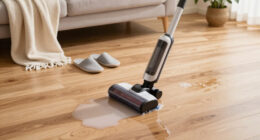
Imagine this: you finish mopping, step back, only to see tiny shimmering water spots scattered across your floor. Frustrating, right? The truth is, those spots are often a sign your steam mop is doing its job — but not quite the way you want. If your floors look streaky or spotty, chances are it’s not the mop’s fault but what’s in your water or how you’re using it.
In this guide, you’ll learn exactly why water spots happen, how your water quality plays a huge role, and what simple steps you can take to keep your floors crystal clear. No hype, just practical advice that respects your surfaces and your time.
Mineral deposits from hard water are the main cause of water spots left by steam mops.
Switching to distilled or softened water can cut spotting by over 90%.
Regularly cleaning mop pads and descaling your steam mop prevents mineral buildup.
Fast evaporation, aided by good ventilation, reduces water spots and streaks.
Choosing a steam mop with adjustable steam and integrated filters helps keep floors spotless.
Why Water Spots Happen Even When You Think You’re Cleaning
Steam mops rely on hot water to clean and sanitize, but the real culprit behind water spots is often what’s in that water. Tap water, especially in areas with hard water, contains minerals like calcium and magnesium. When you steam your floors, these minerals don’t evaporate — they leave behind tiny deposits that form water spots and streaks.
For example, if you live in a city with hard water, your floors might look spotless right after mopping. But an hour later? Those tiny white or cloudy spots start to appear, especially on glossy surfaces or vinyl flooring. It’s like a faint layer of dust, but actually, it’s mineral residue.
Using plain tap water is a quick way to unintentionally spread these minerals around. That’s why many homeowners notice spots more in bathrooms or kitchens—areas with harder water.

Steam & Go Demineralized Water for Steam Mop – Clean Ocean Scent, 128 fl oz (1 gal) | Scented Floor Cleaner Solution, Ready-to-Use, Compatible with Any Steam Cleaner
- Limescale Prevention: Stops mineral deposits to protect your steam mop
- PVC-Free Formula: Safe for all sealed hard floors and surfaces
- Ready-to-Use: No mixing or dilution needed, easy to use
As an affiliate, we earn on qualifying purchases.
As an affiliate, we earn on qualifying purchases.
How Water Quality Turns Your Clean Floors Into a Spotty Mess
The quality of water you use with your steam mop makes a big difference. Hard water contains high levels of dissolved minerals—often over 180 ppm (parts per million)—which is enough to leave noticeable deposits. Softened water reduces these minerals but often still contains some residual calcium and magnesium.
Using distilled water, which has almost no minerals, drastically cuts down the risk of water spots. Think of it as giving your floors a pure, mineral-free rinse every time. For example, switching from tap water to distilled water can reduce mineral deposits by up to 90%.
According to an anonymous researcher from Steam Mop List, “Mineral deposits are the leading cause of streaks and spots, especially on surfaces like laminate or hardwood that absorb less moisture.”
| Water Type | Mineral Content | Spotting Likelihood |
|---|---|---|
| Tap water (hard) | High, 180-300 ppm | High |
| Softened water | Moderate, 50-150 ppm | Moderate |
| Distilled water | Almost none | Very low |

OYSTERBOY 5 Pcs Premium Quality Replacement Accessories Steam Cleaner Descaling Cartridge and Microfiber Mop Cloth Pad Set Compatible for Karcher SC2 Upright SC3 Series
- Complete Accessory Set: Includes descaling cartridge and microfiber pads
- Efficient Descaling: Quickly removes scale from Karcher SC3
- High-Quality Microfiber: Durable, washable, dirt-gripping mop pads
As an affiliate, we earn on qualifying purchases.
As an affiliate, we earn on qualifying purchases.
What Your Mop and Floor Are Doing to Make Spots Worse
Even with good water, poor mop maintenance can turn a cleaning tool into a mineral spreader. If your steam mop’s pads are dirty or clogged, they can distribute mineral residue unevenly. Over time, mineral buildup inside the mop can block steam flow, causing inconsistent spray or hot spots that leave water rings.
For example, if you forget to clean the mop pads weekly, mineral-laden water can cling to fibers, then get redeposited onto your floors when you mop again. The same goes for overfilling the water tank — excess water can leak or evaporate unevenly, leaving behind spots.
Regularly cleaning your mop pads and following manufacturer instructions for refilling can prevent this. Also, rinsing out the water tank and descaling the unit monthly—especially if you notice mineral buildup—keeps the steam consistent and clean.
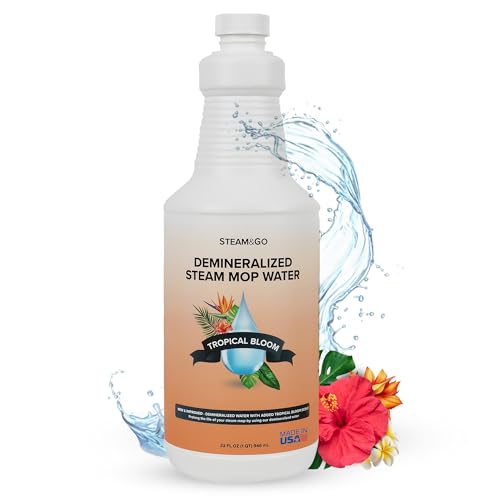
Steam & Go Demineralized Water for Steam Mop – Tropical Bloom Scent, 32 oz | Scented Floor Cleaner Solution, Ready-to-Use, Compatible with Any Steam Cleaner
- Prevents Limescale Buildup: Stops mineral deposits for optimal performance
- PVC-Free Formula: Safe for all sealed surfaces
- Tropical Bloom Scent: Naturally freshens rooms
As an affiliate, we earn on qualifying purchases.
As an affiliate, we earn on qualifying purchases.
The Environment’s Role in Making Water Spots Stick Around
The room’s humidity and airflow can turn a quick dry into a stubborn spot. When you mop in a humid space, water evaporates slowly, giving minerals more time to settle and cling to the surface. Poor ventilation traps moisture, making spots linger longer.
For example, mopping in a bathroom with poor ventilation or during a humid summer day often results in more visible spots. The water doesn’t evaporate fast enough, and the minerals get a chance to settle into tiny deposits.
To combat this, open windows, turn on fans, or run a dehumidifier after mopping. Faster evaporation means fewer spots and a brighter, cleaner floor.

iSingo 6 Pack 1940 Steam Mop Pads for Bissell PowerFresh Steam Mop 1940
- Compatible Models: Fits Bissell PowerFresh Steam Mop 1940 series
- 6 Pack Variety: Includes microfiber and scrubbing strips pads
- Dual-Purpose Pads: For everyday cleaning and tough stains
As an affiliate, we earn on qualifying purchases.
As an affiliate, we earn on qualifying purchases.
Simple Fixes to Keep Water Spots Off Your Floors
Getting rid of existing water spots and preventing new ones is easier than you think. Here are the top tips:
- Use distilled or softened water whenever possible. It’s the best way to cut mineral deposits.
- Clean your mop pads regularly with vinegar or a descaling solution. Dirty pads spread minerals around.
- Don’t overfill the water tank. Fill only what you need to avoid leaks or uneven evaporation.
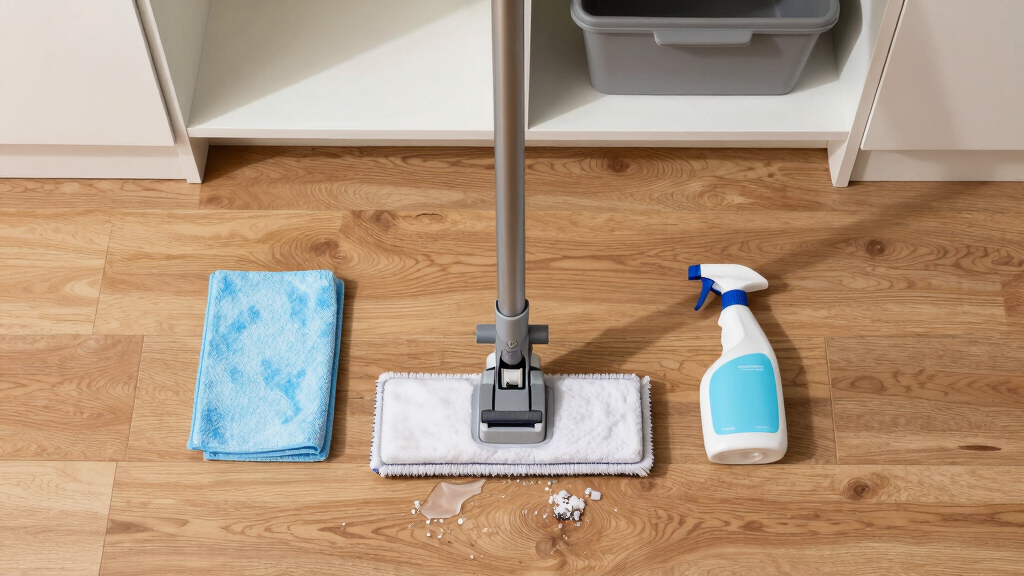
- Dry floors immediately after mopping. Use a microfiber cloth or towel to blot away residual moisture.
- Improve room ventilation. Use fans or open windows to speed up evaporation, especially in humid spaces.
For example, a homeowner in Florida switched to distilled water and saw a 75% reduction in water spots within a week. Regularly cleaning the mop pad reduced streaks by half, according to their experience.
Are There Better Mops or Settings to Avoid Spots?
Some steam mops are designed with features that help prevent water spots. Look for models with adjustable steam settings, built-in filters, or self-cleaning modes. These help control the amount of steam and reduce mineral buildup inside the device.
For example, a model with a built-in water filter can reduce mineral content by up to 60%, according to manufacturer data. Using the lowest steam setting also minimizes excess moisture, helping floors dry faster and spots fade away.
Remember, always test on a hidden area first to confirm compatibility, especially on delicate surfaces like hardwood or laminate.
Frequently Asked Questions
Why does my steam mop leave water spots even after I clean?
Most likely, your water contains minerals that leave deposits as it evaporates. Using hard tap water without filtration is a common cause. Switching to distilled or softened water can help eliminate these spots.Can I use vinegar or cleaning solutions with my steam mop to prevent spots?
Most manufacturers advise against adding cleaning solutions to steam mops, as they can damage internal components or void warranties. Instead, focus on water quality and regular maintenance.How do I remove existing water spots from my floors?
Try applying a mixture of equal parts vinegar and water to a microfiber cloth and gently wiping the spots. Always test a small area first to ensure compatibility. Dry the area thoroughly afterward.Is there a difference between steam mop models for preventing spots?
Yes. Models with built-in filters, adjustable steam levels, and self-cleaning features tend to produce fewer spots. Look for those options if spotting is a persistent issue.How often should I descale my steam mop?
Follow the manufacturer’s instructions, but generally, descale every 20-30 hours of use or once a month if you frequently use hard water. Regular descaling helps keep steam consistent and floors clear.Conclusion
Water spots from your steam mop aren’t a sign of failure — they’re a sign to check your water quality and maintenance routine. Switching to distilled water, cleaning your mop regularly, and improving room airflow can make a huge difference. Think of it as giving your floors a breath of fresh air, free of mineral residue.
Next time you mop, remember: the secret isn’t just the mop — it’s what’s in the water and how you care for your cleaning tools. A little attention turns a streaky mess into floors that shine with clarity, every time.
Grilling season Picks
grills
As an affiliate, we earn on qualifying purchases.