TL;DR

Get cleaning gear delivered free with Prime
- Fast, free delivery on millions of items
- Prime Video, Amazon Music and more included
- Member-only deals all year
If your Bissell PowerFresh isn’t steaming, chances are it’s a simple fix like a blockage, low water, or a heating issue. Following these steps can often solve the problem without costly repairs.
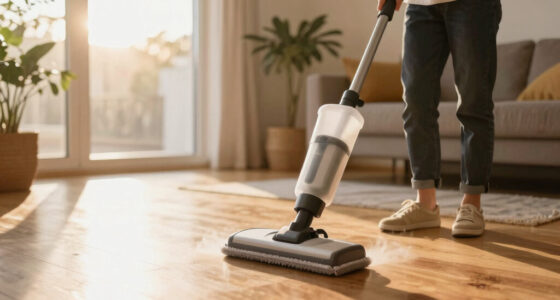
Nothing beats the clean, fresh scent you get from a steaming mop. But when your Bissell PowerFresh refuses to produce steam, it feels like your cleaning power has evaporated. You rely on that steam to sanitize and lift stubborn dirt, so it’s frustrating when it stalls.
This guide walks you through quick checks and common fixes. No need to panic—most issues are simple to solve and won’t require a repair technician.
Always keep the water tank filled and properly sealed before use.
Mineral buildup is the main cause of steam blockages; regular descaling keeps it flowing.
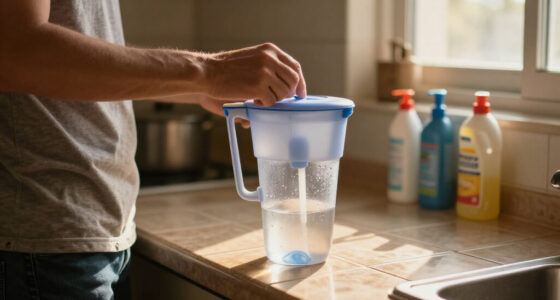
Switching to distilled water can dramatically reduce internal clogs and extend device lifespan.
Check for visible blockages and clear them carefully with a pin or needle.
If your device still won’t heat or produce steam after troubleshooting, seek professional repair.
Start with the basics: Is your water tank full and sealed tight?
First, double-check that the water tank is filled to the correct level. An empty or improperly sealed tank prevents steam from escaping. Remove the tank, fill it up with water, and firmly reseat it. If it’s leaking or not fitting snugly, steam production drops to zero.
Imagine trying to blow up a balloon with a hole in it—no matter how hard you try, no air will build up. The same goes for your steam mop’s water seal.
Products Worth Considering

iRobot Roomba 105 Combo Robot Vacuum and Mop

Philips Hue Smart Light Starter Kit with Bridge and 4 White and Color A19 Bulbs

Philips Hue Starter Kit with Bridge Pro and 4 Retrofit LED Recessed Downlights
As an affiliate, we earn on qualifying purchases.
How to clear blockages that stop steam from escaping
- Unplug the steam mop and let it cool completely. Hot components can cause burns and make cleaning difficult, so patience is key here.
- Use a pin or needle to carefully poke through the steam nozzle or outlet. This prevents damage to delicate parts while removing mineral deposits or debris that clog the pathway.
- Remove any visible mineral deposits or debris. These deposits are often hardened, making them resistant to simple removal. Regularly clearing these prevents buildup that can significantly reduce steam output, affecting cleaning efficiency and prolonging the device’s lifespan.
- Reassemble and test for steam. If the blockage persists, it indicates a deeper mineral buildup or corrosion inside the system, which could compromise the device’s long-term performance.
Mineral deposits from tap water are a common culprit. Think of it as calcium and lime forming a plug in your pipes. Regularly clearing these blockages keeps the steam flowing and ensures your device maintains optimal cleaning power, extending its lifespan and reducing the need for costly repairs.
Is your water hard? Why switching to distilled water helps
| Water Type | Pros | Cons |
|---|---|---|
| Tap water | Readily available, cheap | Mineral deposits buildup, clogs |
| Distilled water | No minerals, fewer blockages | Costs a bit more, less available |
Using distilled water in your steam mop can reduce mineral buildup by up to 80%, which is crucial for maintaining the device’s internal components. Mineral deposits can insulate heating elements, reducing their efficiency and causing uneven heating or complete failure over time. By choosing distilled water, you’re effectively reducing the risk of internal corrosion and prolonging the life of your steam mop. Think of it as giving your device a pure, mineral-free blood supply—less grit means more reliable steam and a longer-lasting machine, saving you money on repairs and replacements in the long run.
Opting for distilled water isn’t just about immediate performance; it’s a strategic choice to protect your investment. Mineral deposits can gradually insulate the heating elements, making it harder for the device to reach and maintain optimal temperatures. This can lead to inconsistent cleaning results and, eventually, complete failure. By switching to distilled water, you reduce this risk significantly, ensuring your device operates efficiently for years and minimizing costly repairs or replacements.
When your steam mop still won’t heat up—what’s next?
If the device heats but no steam appears, the heating element might be faulty. This can happen after repeated mineral buildup or electrical issues. Check for signs like a burnt smell or a weird smell during operation, which indicate internal damage or short circuits.
In this case, it’s wise to contact a professional or Bissell support. Trying to fix electrical parts yourself can be dangerous and may void warranties. Ignoring these signs can lead to complete device failure, so prompt professional diagnosis is recommended to avoid further damage and costly replacements.
Remember, safety first—unplug before inspecting or attempting repairs. Electrical repairs require specialized knowledge and tools to ensure safety and proper functioning.
How often should you descale your steam mop?
Depending on your water hardness and usage, aim for descaling every 1-3 months. Less frequent descaling can lead to mineral buildup that insulates internal components, reducing heating efficiency and steam output. This buildup can also cause irregular heating cycles, which may damage internal parts over time. Regular descaling prevents these issues, maintaining consistent performance and extending the lifespan of your steam mop.
Use a vinegar solution—mix one part white vinegar with one part water—and run it through the machine. This process dissolves mineral deposits, restoring the heating element’s contact with water and ensuring optimal steam production. Think of it as giving your steam mop a detox—removing stubborn mineral deposits prevents clogs, promotes efficient heating, and guarantees your device remains reliable and effective for years to come.
Frequently Asked Questions
Why isn’t my Bissell PowerFresh steaming even though the water tank is full?
This is often caused by mineral deposits blocking the steam outlet, a loose water tank seal, or insufficient heating time. Clear any blockages, ensure the tank is sealed properly, and wait for the indicator light to confirm it’s ready.
How do I prevent mineral buildup in my steam mop?
Use distilled or filtered water instead of tap water, and descale every 1-3 months depending on your water hardness. Regular cleaning with vinegar solutions can help prevent clogs and extend the device’s life.
Can I use tap water in my Bissell PowerFresh?
While you can use tap water, it’s best to switch to distilled or filtered water to avoid mineral deposits that cause clogs and reduce steam output over time.
My steam mop leaks water—what should I check?
Inspect the water tank seal and connections for damage or improper seating. Leaks often happen when the seal isn’t tight, or the tank is cracked or misaligned.
How often should I descale my steam mop?
Typically every 1-3 months, especially if you notice reduced steam or slower heating. Regular descaling with vinegar solutions keeps internal parts clear and working efficiently.
Conclusion
Most Bissell PowerFresh steaming issues boil down to simple causes—clogged nozzles, low or hard water, or a loose seal. With a few quick checks and regular maintenance, you can keep your steam mop running smoothly.
Think of it as tuning up a trusted tool—your floors will thank you with a streak-free shine every time.